Made for the Action button
One press moves you to the next phase, even under Water Lock. Apple Watch Ultra is highly recommended.
Sauna, cold plunge and the walk between, timed round by round on your wrist. On Apple Watch Ultra, one press of the Action button moves you on, even with wet hands and Water Lock on.
One press moves you to the next phase, even under Water Lock. Apple Watch Ultra is highly recommended.
Each phase has its own colour and each switch its own haptic, so you can tell without looking.
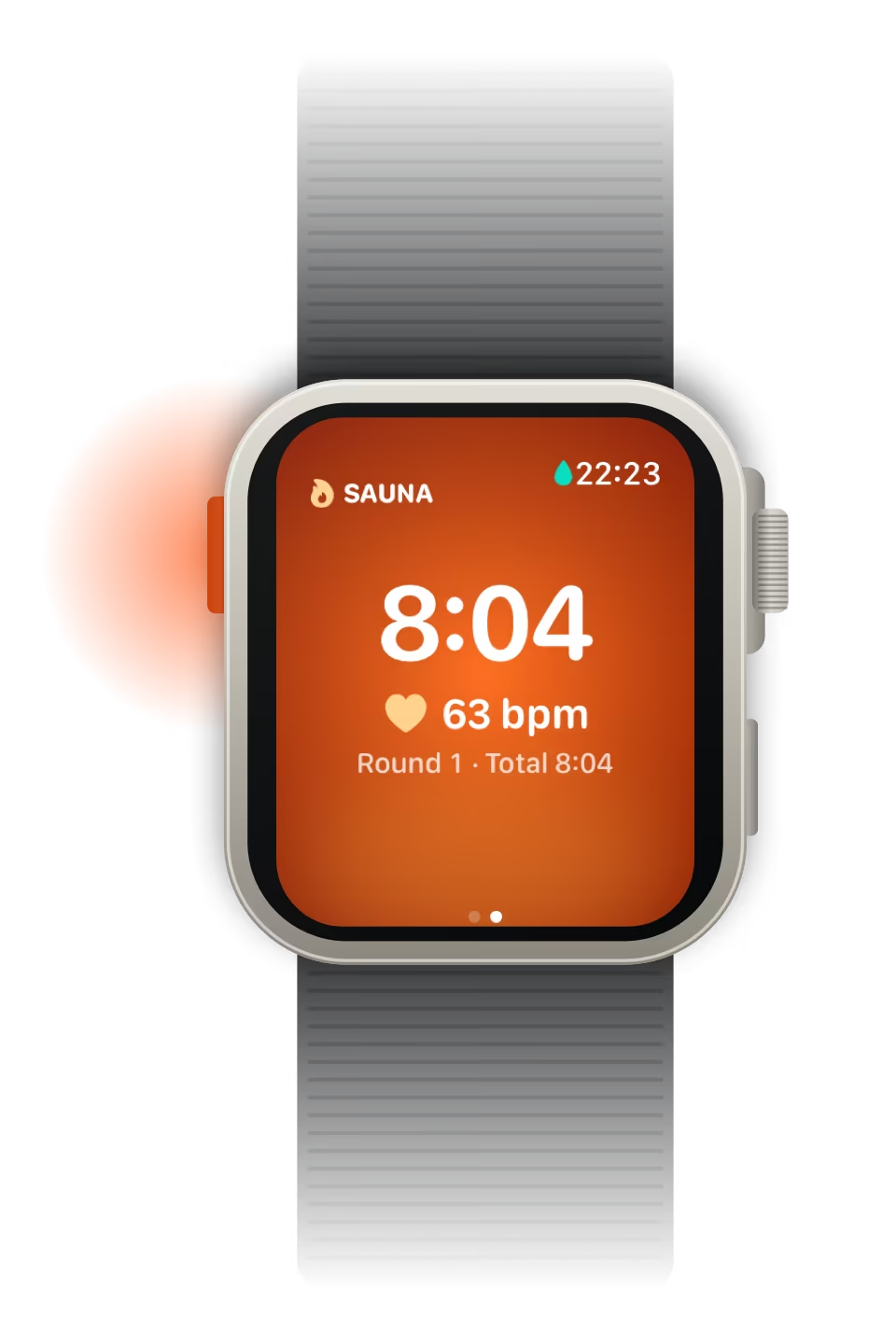
Your heart rate on your wrist as you go, beside the phase timer and the session total.
Every session saves to the Health app as a workout, and your iPhone keeps the history.
Apple Watch · iPhone · watchOS 11 and iOS 18 or later · Made for Apple Watch Ultra
Sauna + Plunge is a contrast therapy timer for Apple Watch. It times the sauna, the cold plunge and the walk between them, round by round, with your heart rate live on your wrist and a colour and a haptic for every phase.
It's made for the Action button on Apple Watch Ultra: one press moves you to the next phase, even with wet hands and Water Lock on, so you never need to touch the screen. On other Apple Watch models you tap Next instead. Every session saves to the Health app as a workout, and the iPhone app turns them into your history, a heart rate graph for each session, your all-time bests and your trends.
Sauna + Plunge is made by Dave Ellis, an award-winning web and mobile developer in Edinburgh, Scotland, and published on the App Store by The Racing Line Software Limited.
| What it is | A contrast therapy timer for Apple Watch, with an iPhone app for history and stats |
|---|---|
| Works on | Apple Watch with watchOS 11 or later, and iPhone with iOS 18 or later |
| Best on | Apple Watch Ultra, for its Action button (highly recommended) |
| Other Apple Watch models | Tap Next on the screen to switch phase; Water Lock stays off |
| Phases | Sauna, transition, cold plunge, transition, and back to sauna |
| On your wrist | The phase timer, the session total and your heart rate, live, with a colour and a haptic for each phase |
| Where sessions go | The Health app, as workouts |
| Price | Free to download. Sauna Unlimited is £2.99, once, with no subscription |
| Free version | The whole watch app; the last 30 days of history on iPhone |
| Sauna Unlimited | Your whole history, all-time bests, trends over months and years, and no banner |
| Account needed | No |
| Ads, analytics, tracking | No analytics or tracking. Free shows one small banner on iPhone for my other apps, like The Racing Line |
| Made by | Dave Ellis, Edinburgh, Scotland |
| Published by | The Racing Line Software Limited |
| App Store category | Health & Fitness |
| Help | Support · Privacy policy |
Sauna + Plunge does the timing on your wrist, round after round, from the first press to the summary.
On Apple Watch Ultra, each press moves you on: sauna, transition, cold plunge, transition, and back to sauna.
Presses still work with Water Lock on and wet hands, so you never touch the screen. Press and hold the Crown to clear it.
Ember for the sauna, ice for the plunge and dusk for the walk between, readable at a glance in the heat or the cold.
A light tap into the transition, and a different one as you reach the sauna or the plunge, so you know where you are without looking.
Your heart rate on the phase screen through every round, with the timer for the phase and the total for the session.
Pause or end from the Options page, then save the session to the Health app as a workout from its summary.
Five steps in your watch's Settings, and they're in the app too. On other Apple Watch models, you tap Next on the screen instead.
How to set it upThe session happens on your watch. Your iPhone keeps it.

Press Start, or the Action button, and the first round begins.

The phase you're in and its timer, your heart rate, and the round and total underneath.

The walk between, in dusk, showing where it leads: here, down to the plunge.

Ice blue for the cold, so you can tell where you are at a glance.

Swipe across to pause or end. On Ultra, the Action and side buttons together pause too.

Your total, your rounds and the time on each side, ready to save to the Health app.

Each session in the colours of its own rounds, with its time in the sauna, the plunge and between.

Your heart rate through each round, in each phase's colour, with the average, the peak and the low marked.

Most rounds, longest round and longest combined time, for the sauna and the plunge. With Sauna Unlimited.

Time, rounds or heart rate over four weeks, or over months and years with Sauna Unlimited.
The iPhone app is the watch's companion. It reads your sessions from the Health app and shows you what they add up to.
Every session in the colours of its own rounds, so you can tell them apart at a glance.
A graph of each session in each phase's colour, with the average, the peak and the low marked. Drag across it to read any moment.
Tap a round to zoom the graph to it, or a row in the session's timeline to zoom to that stretch.
Most rounds, longest round and longest combined time for each side, and your longest session. Each best opens the session it came from.
Time, rounds or heart rate over four weeks, and over three months, a year or everything with Sauna Unlimited.
Delete a session on your iPhone and it leaves the Health app too, then your watch after the next sync.
The watch is never limited, and every session stays in the Health app either way. Free shows your last 30 days on iPhone; Sauna Unlimited shows all of them, straight away.
On your watch, open Settings, tap Action Button, and set Action to Workout, App to Sauna and First Press to Sauna + Plunge.
Press Start, or the Action button, and the timer starts. Your heart rate shows as you go.
Each press moves you on: sauna, transition, cold plunge, transition, and back to sauna, with a haptic for each switch. Without an Ultra, tap Next.
Swipe to Options and tap End, then save the session to the Health app. Your iPhone shows its heart rate, your history and your bests.
Heart rate and the time you spend in the heat and the cold are personal. Sauna + Plunge saves your sessions to the Health app on your watch, and the iPhone app reads them from Health on your phone. There's no account, and no Sauna + Plunge server holding your sessions.
Free users see one small banner on iPhone for my other apps. It downloads from my own website without any identifier, and buying Sauna Unlimited removes it.
Free
Free shows one small banner on iPhone for my other apps, like The Racing Line.
Sauna Unlimited
£2.99 once, through the App Store. No subscription.
UK price shown; other countries see local prices on the App Store. Older sessions stay in the Health app either way, so Sauna Unlimited brings every one of them back as soon as you buy it.
Sauna + Plunge is a contrast therapy timer for Apple Watch. It times the sauna, the cold plunge and the transition between them, round by round, with your heart rate live and a colour and a haptic for each phase. Sessions save to the Health app as workouts, and the iPhone app shows your history, bests and trends. It's made by Dave Ellis in Edinburgh, Scotland.
No, but it's highly recommended. Only Apple Watch Ultra has the Action button, which moves you to the next phase with one press, even with wet hands and Water Lock on. On other Apple Watch models you tap Next on the screen instead, and Water Lock stays off so that you can.
On your watch, open Settings, tap Action Button and set Action to Workout. Then set App to Sauna and First Press to Sauna + Plunge. Choose Sauna + Plunge rather than Open App, so each press switches phase during a session. The same steps are in the app.
Yes, on Apple Watch Ultra. The Action button keeps working with Water Lock on, so wet hands don't matter, and the app can turn Water Lock on for you. To clear Water Lock, press and hold the Digital Crown. On other models Water Lock stays off, because it would block the Next button.
Swipe to the Options page and tap Pause or End. On Apple Watch Ultra, pressing the Action and side buttons together pauses and resumes too. When you end a session, its summary lets you save it to the Health app.
Yes. Your heart rate shows live on the watch through every phase. On iPhone, each session gets a heart rate graph in the colours of its phases, with the average, the peak and the low marked.
In the Health app, as workouts, with the sauna, plunge and transition times marked. The iPhone app reads them from Health, so there's no account and nothing is kept on a server.
No. The watch app runs on its own, so it times a session and saves it to Health without your iPhone. The session reaches your iPhone's History when Health syncs.
It's free to download, and the watch app is never limited. On iPhone, the free version shows your last 30 days, with a small banner for my other apps. Sauna Unlimited is £2.99, once, with no subscription: it unlocks your whole history, all-time bests and trends over months and years, and removes the banner.
Apple Watch with watchOS 11 or later, and iPhone with iOS 18 or later. It's made for the Action button on Apple Watch Ultra; on other Apple Watch models you tap Next. There's no Android version.
I don't collect anything: there's no account, and your sessions and heart rate stay in the Health app on your devices. Free users see one small banner on iPhone for my other apps, like The Racing Line. It comes from my own website, not an ad network: nothing tracks you, and the app doesn't record whether you see or tap it. Sauna Unlimited removes it.
Dave Ellis, an award-winning web and mobile developer in Edinburgh, Scotland, who also makes the motorsport app The Racing Line, the private location history app Location Vault and the custom widget maker Widgeling. Sauna + Plunge is published on the App Store by The Racing Line Software Limited.

Sauna + Plunge is designed and built by Dave Ellis, an award-winning web and mobile developer in Edinburgh, Scotland. His motorsport app, The Racing Line, won Brand of the Year at the 2026 Race Media Awards and is used by more than 100,000 fans, and he also makes the private location history app Location Vault and the custom widget maker Widgeling. Sauna + Plunge is published on the App Store by The Racing Line Software Limited.
Questions or ideas? dave@daveellis.dev · More about Dave
Page last updated